 Mood Note
Why a diary needs a lock
A diary is only useful if you can be completely honest in it. The moment you worry that someone might pick up your phone and read it, you start writing for them instead of for yourself.
A locked diary app fixes that. Your phone can be shared, borrowed or left on the table, and your journal still stays closed.
How the lock works in Mood Note
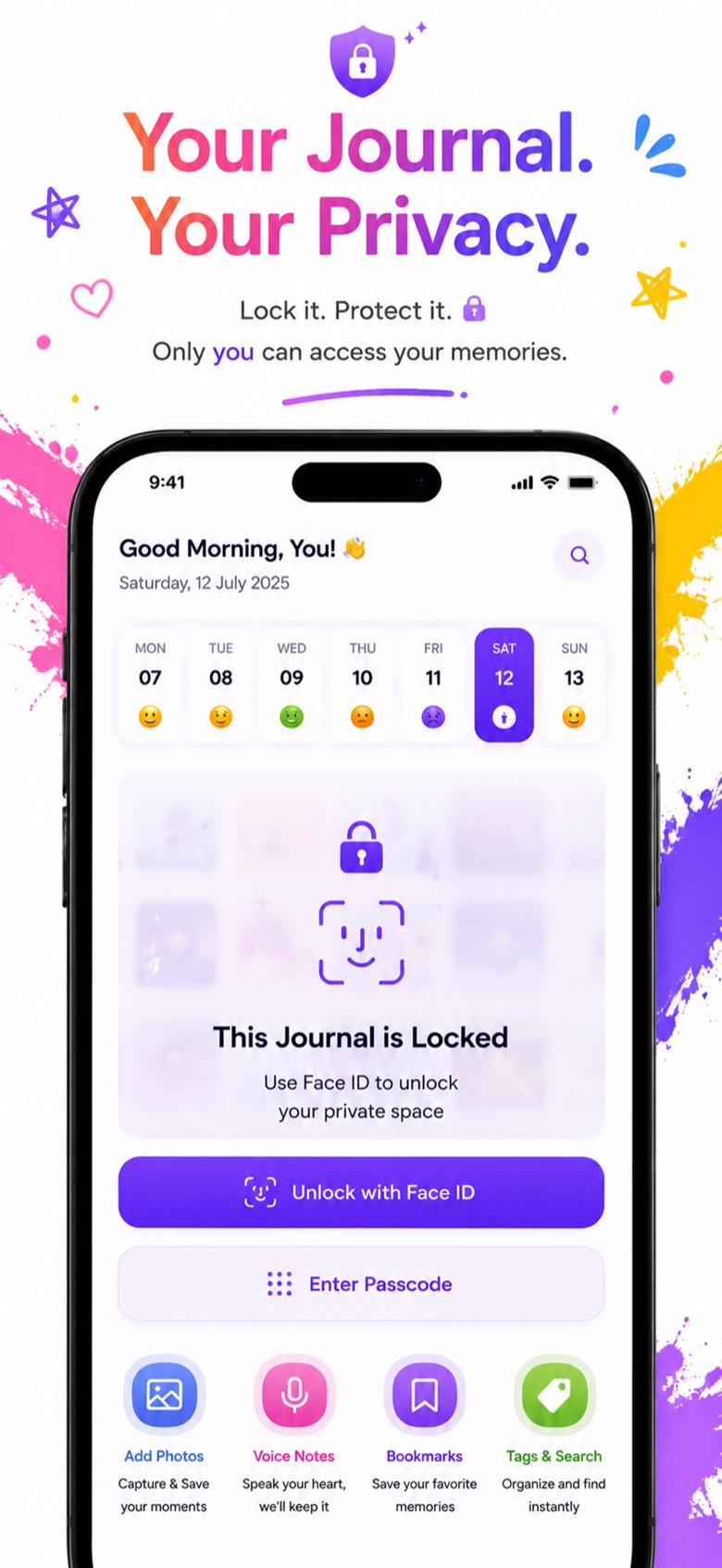
- Turn on the passcode. Choose a passcode in the app's lock settings. From then on, Mood Note asks for it every time the diary opens.
- Add Face ID or Touch ID. Switch on biometric unlock so you can open your diary with a glance or a fingertip instead of typing the code.
- Write freely. Entries, photos and voice recordings all stay behind the same lock.
Where your entries are stored
Mood Note saves your diary on your iPhone. If you turn on iCloud, entries sync through your own iCloud account, so a new phone signed in with the same Apple ID gets your diary back.
Tip: keep iCloud on for your diary. A lock protects your entries from other people, and iCloud protects them if you lose or replace your phone.
What to look for in a private diary app
Whichever app you choose, check that it has:
- A real lock, a passcode that protects the whole diary, not just single entries.
- Face ID or Touch ID, so locking doesn't slow you down. If unlocking is annoying, you'll end up turning the lock off.
- Backup you control, such as sync with your own iCloud account.
- No public feed. A diary is not a social network. Sharing should only happen when you choose to share something.
- Room for more than text: photos, voice notes and moods make it easier to keep writing.
More than a locked notebook
Once your diary is private, Mood Note gives you ways to fill it:
- Add several photos to each entry.
- Speak your entry and watch it turn into text (see our voice journal guide).
- Turn trips into memory cards you can share on your terms (see our travel diary guide).
- Tag each day with a mood and see your week at a glance.
Frequently asked questions
Can I lock my diary with Face ID?
Yes. Turn on the passcode lock in Mood Note, then enable Face ID or Touch ID to open your diary without typing the code.
What happens if I forget my passcode?
Face ID or Touch ID can still open your diary if you enabled it. If you're locked out completely, contact us at photodiaryap@gmail.com.
Can other people see my diary entries?
No. Your entries aren't posted anywhere. They stay on your iPhone and in your own iCloud, and you only share something, like a memory card, when you choose to.
Is Mood Note free?
It's free to download and you can start writing right away. The free plan includes a limited number of entries, and Mood Note Pro unlocks unlimited entries and all premium features.