Your diary.
Your safe space.
Write about your day with photos, speak an entry and watch it become text, and turn trips into memory cards you can share. Everything stays locked behind Face ID.
A whole day on one page.
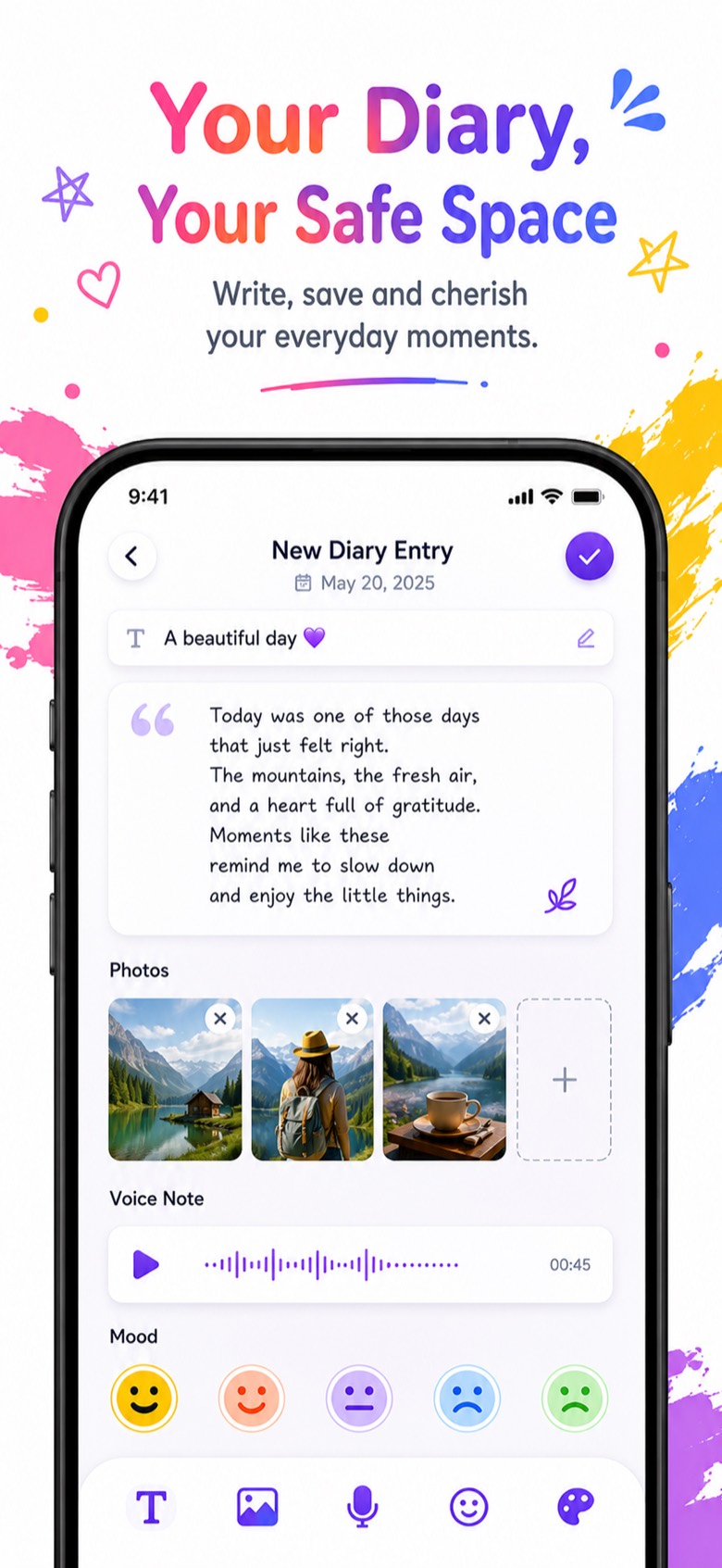
Your photo diary works like a real journal. Give the day a title, write what happened, add the photos you took, and tag how you felt.
- Several photos in each entry
- Voice notes attached to the page
- Mood tag on every entry
Talk. It writes.
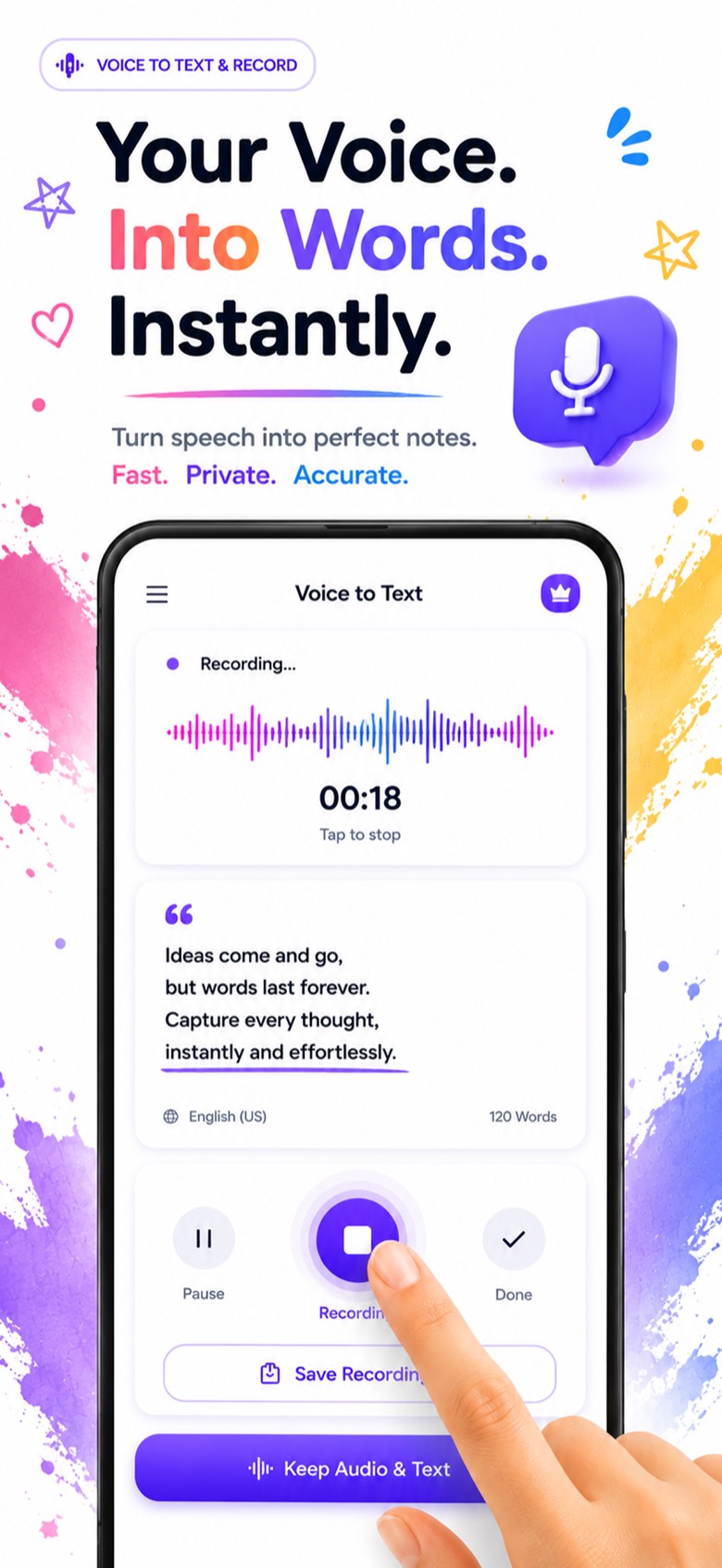
Too tired to type? Speak your diary entry and watch the words appear as you talk. Voice-to-text journaling keeps the recording and the text together.
- Live speech-to-text while you record
- Keep the audio and the text together
- Pause, resume and save when you're done
Turn trips into memory cards.
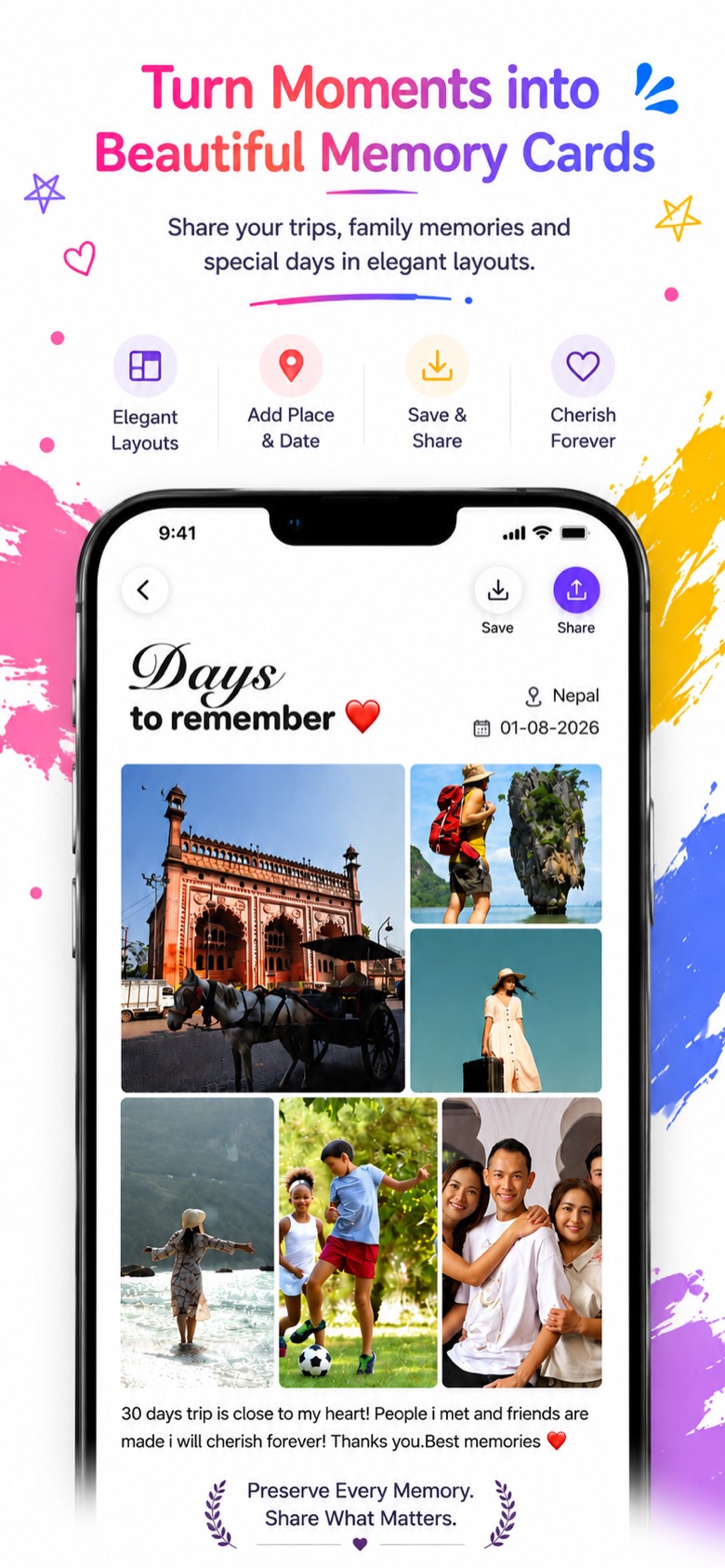
Turn travel photos and family days into memory cards. Pick a layout, add the place and date, and share it with the people who were there.
- Photo layouts ready to fill
- Add place and date
- Save to Photos or share in one tap
Locked. Just for you.
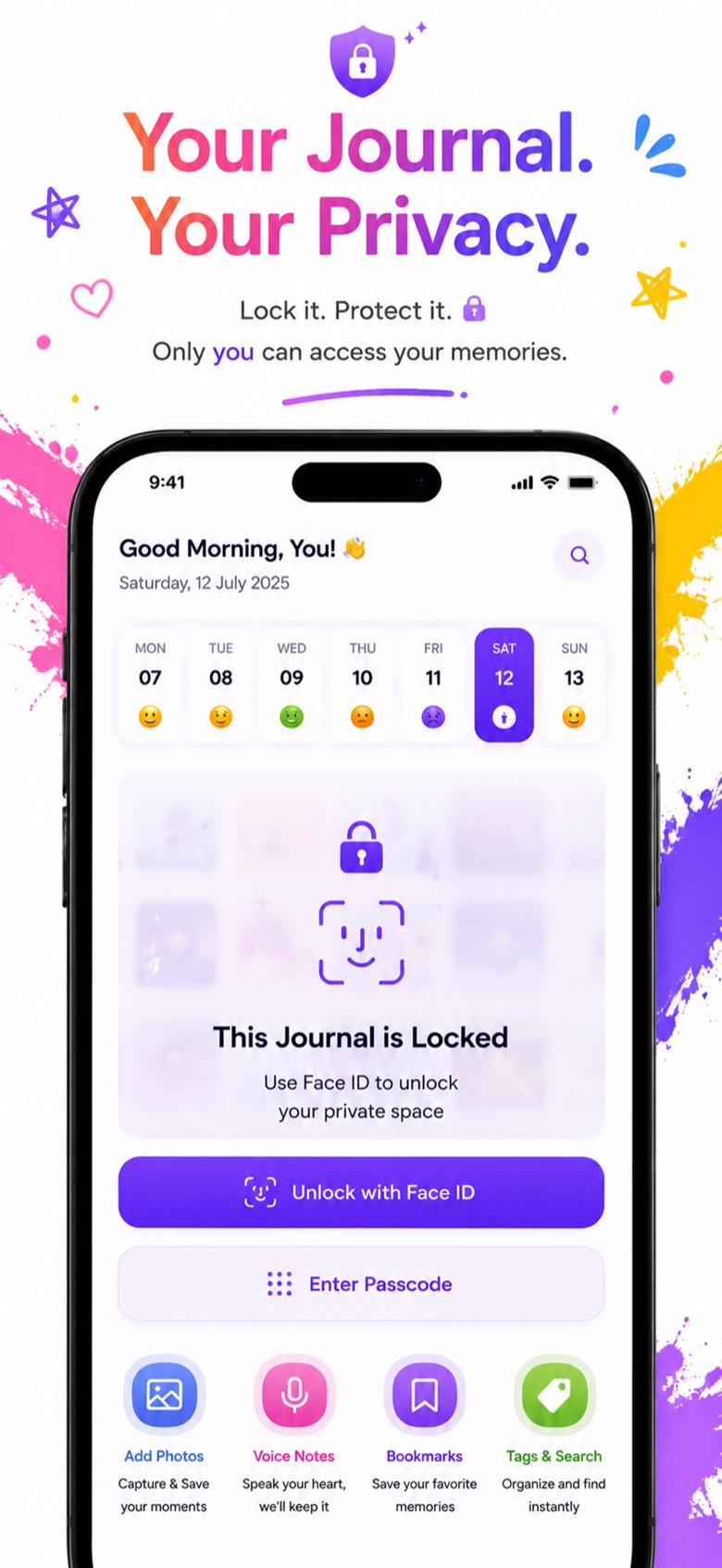
Set a passcode and unlock with Face ID or Touch ID. Nobody opens your journal but you.
- Passcode with Face ID / Touch ID
- Bookmarks, tags and search
- Weekly strip shows each day's mood
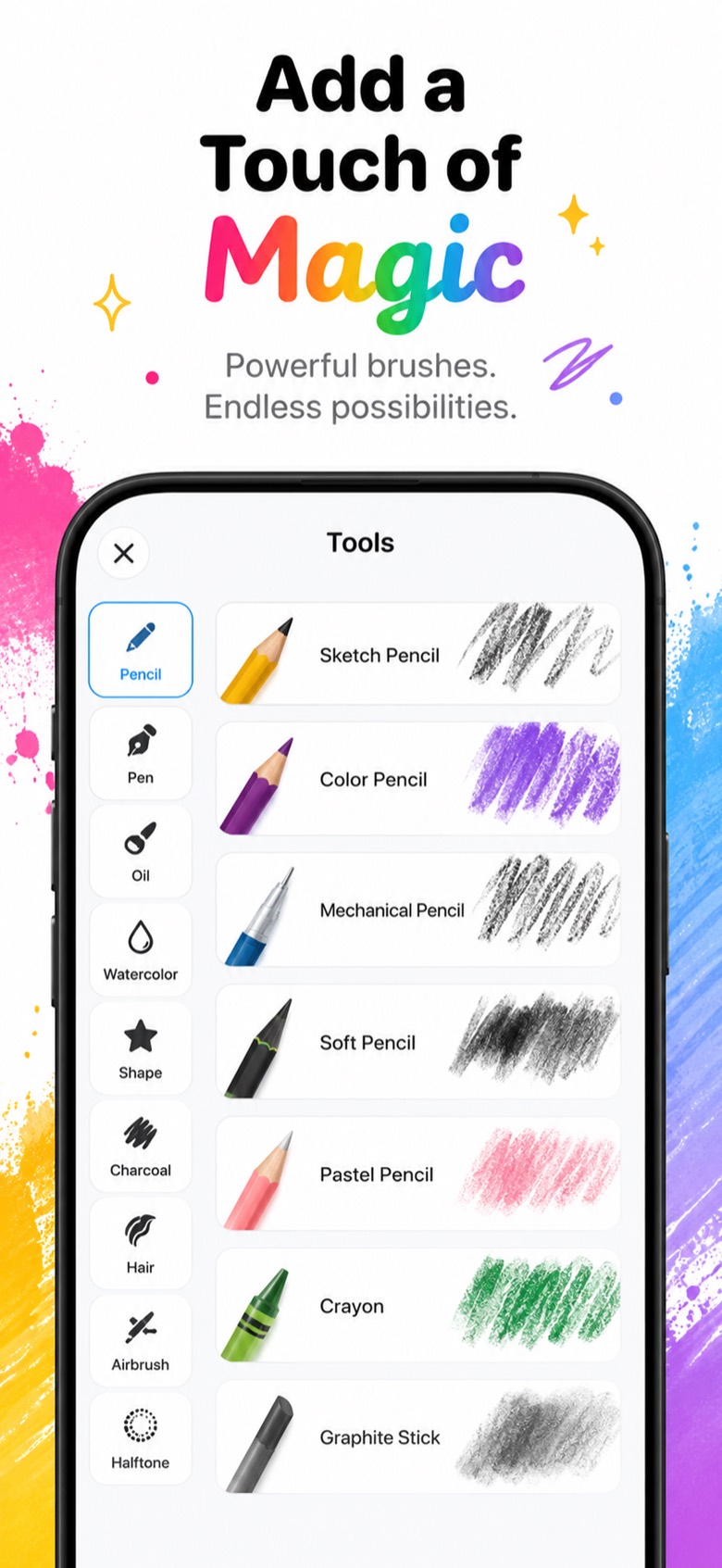
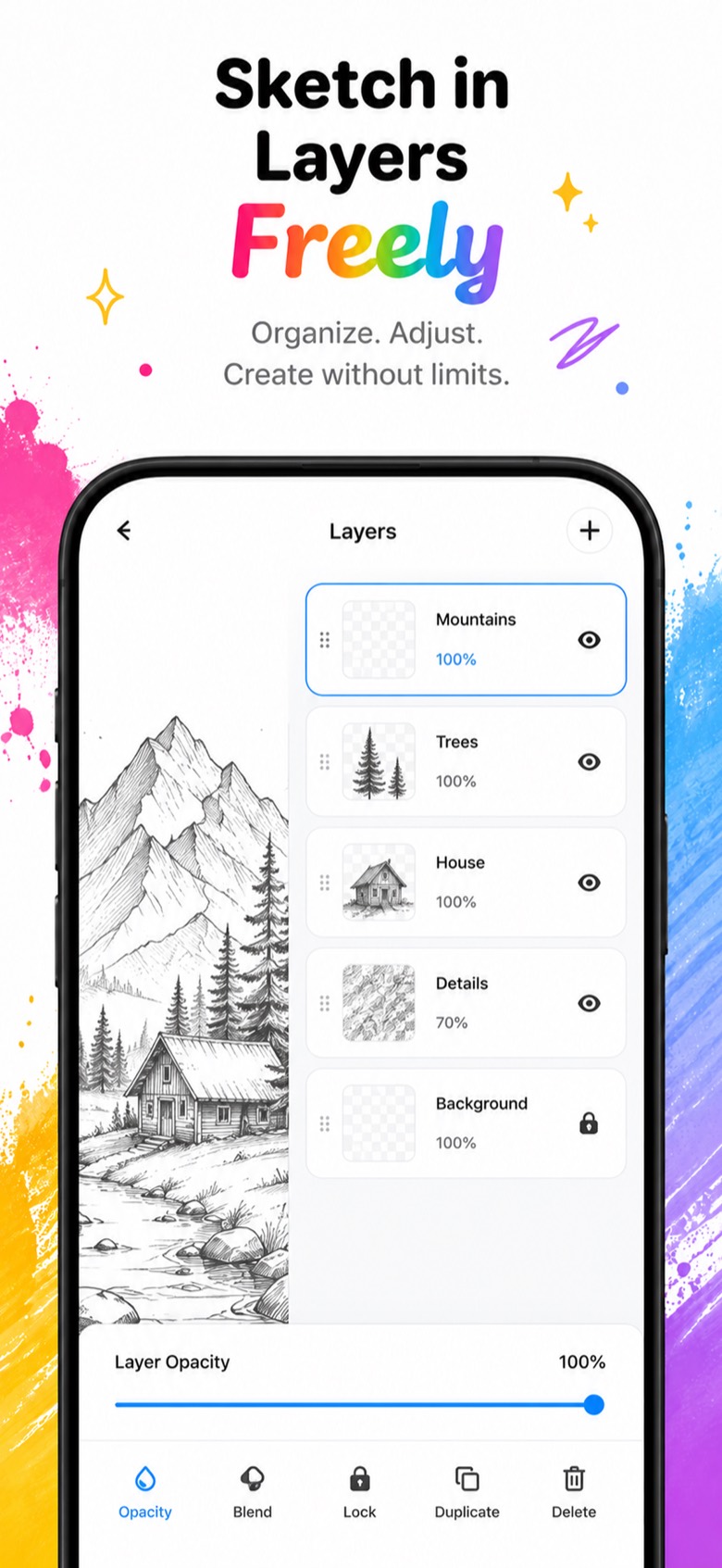
Draw right inside your diary.
Some days are easier to draw than describe. Use real-feeling brushes and stack your work in layers.
- Pencil, pen, oil, watercolor, charcoal, airbrush and more
- Layers with opacity, blend, lock and duplicate
- Shapes and halftone for extra texture
Color to unwind.
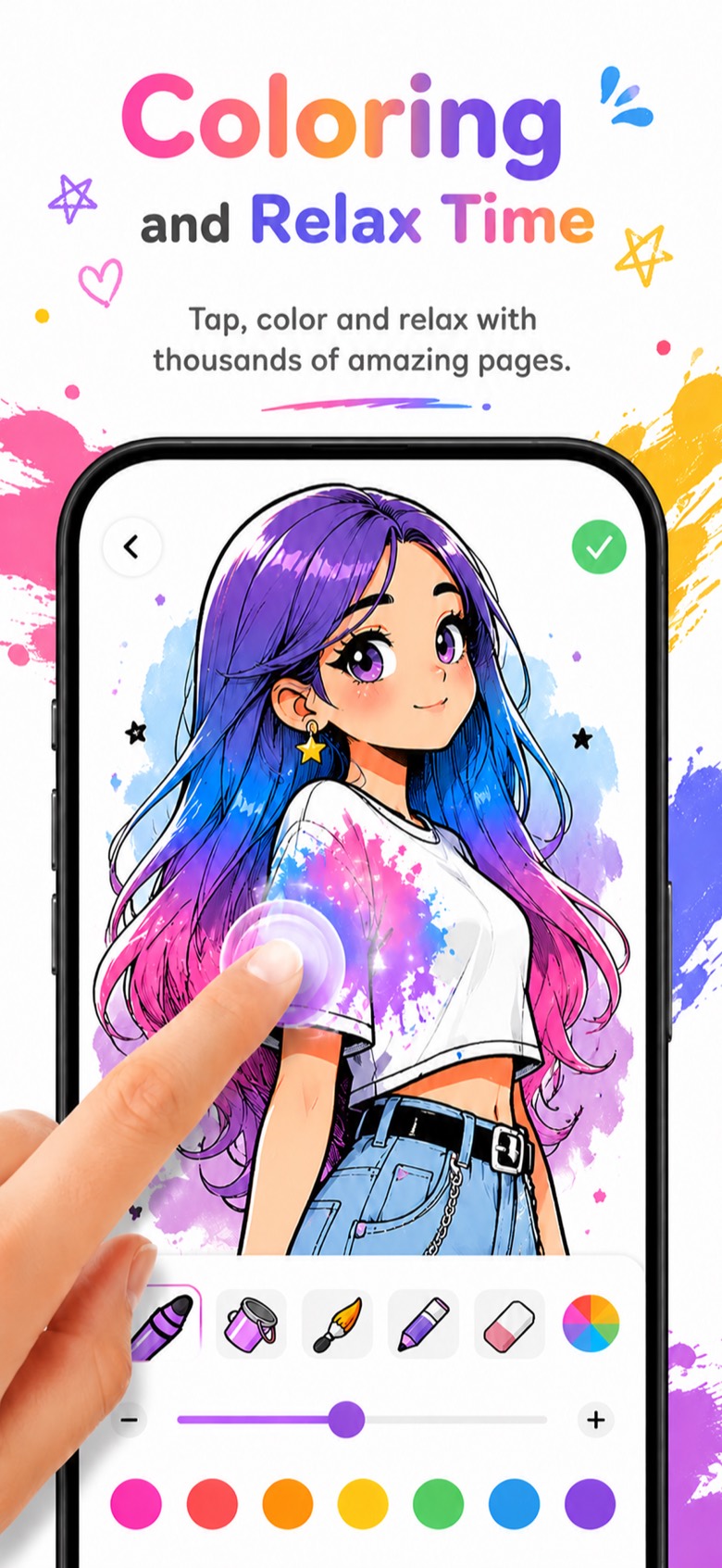
Pick a page, choose a color, and tap. A calm few minutes at the end of the day.
- Ready-made coloring pages
- Marker, bucket fill, brush, pencil and eraser
- Adjustable brush size and a full color palette
Small wins, every day.
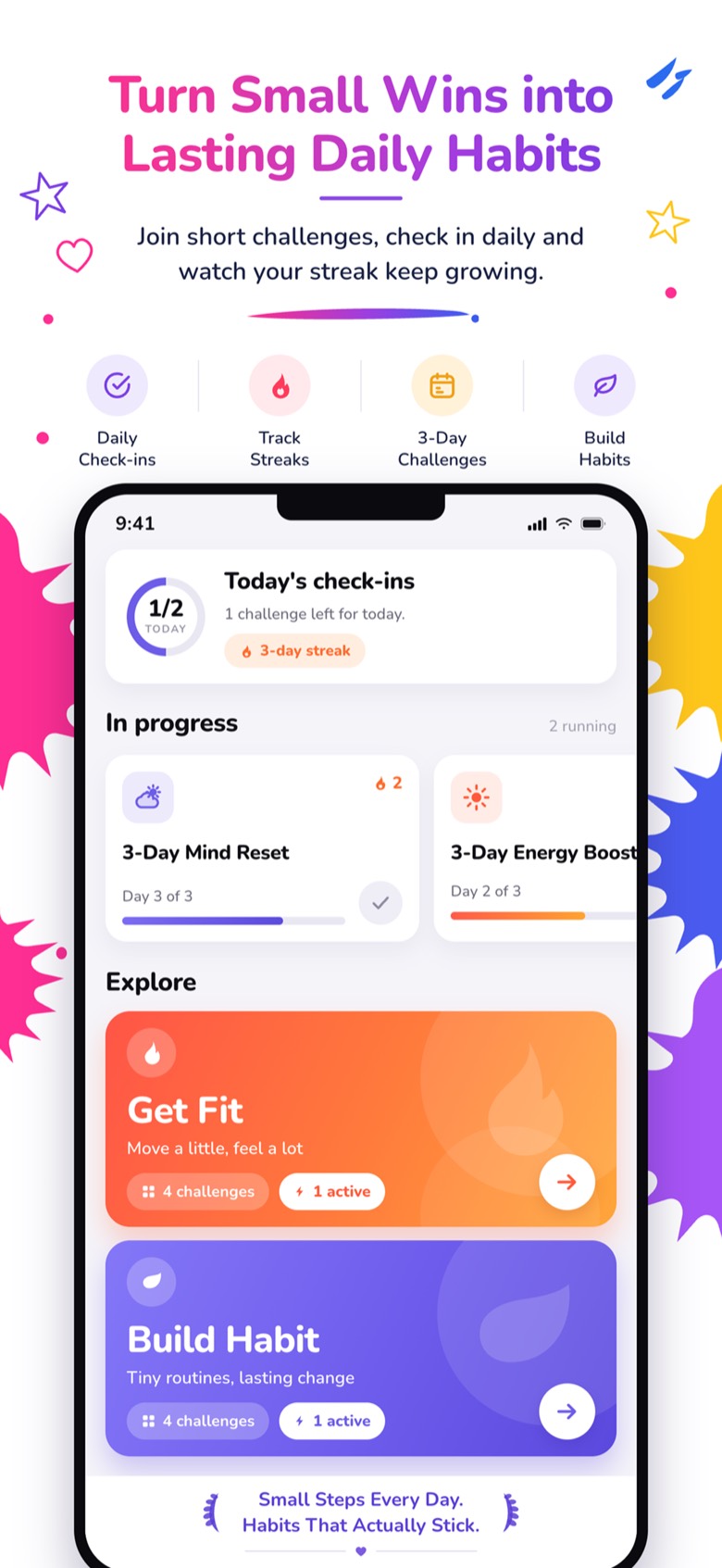
Join a short challenge, check in each day, and keep your streak going.
- 3-day challenges for fitness, focus and habits
- Daily check-ins and streaks
- Share your progress on any day
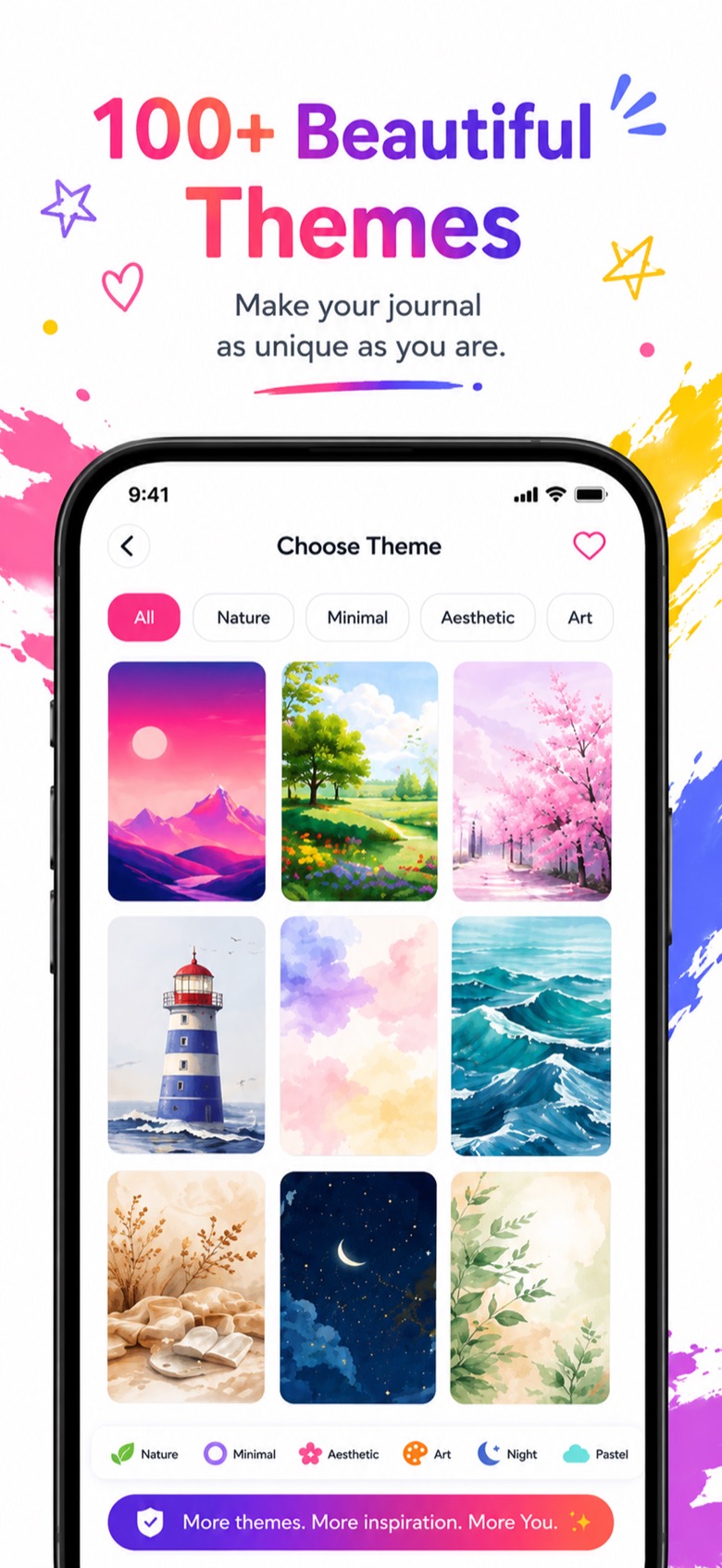
100+ themes to make it yours.
Choose a background for each page, from quiet pastels to starry nights.
- Nature, minimal, aesthetic, art, night and pastel
- A different look for every page
- Save the ones you like to favorites
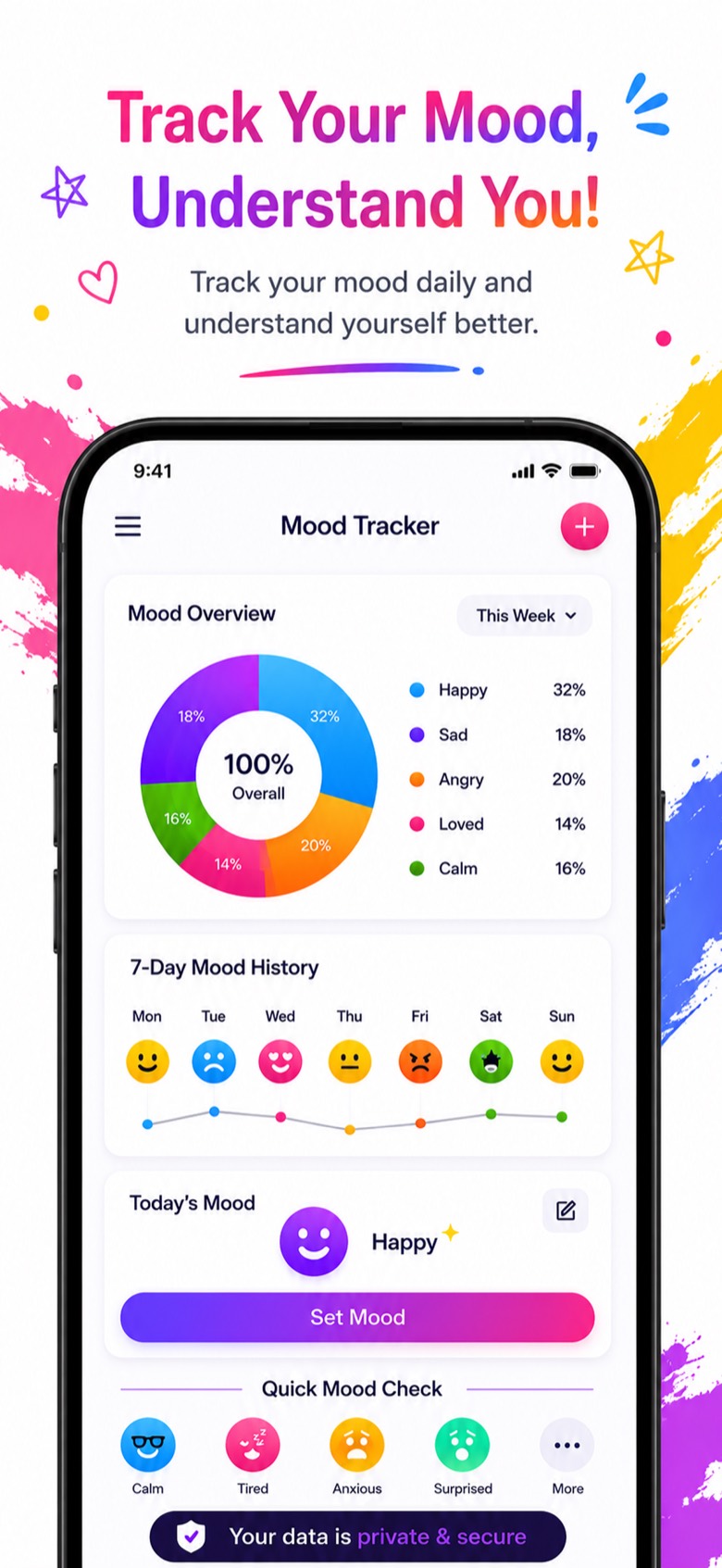
See how you really feel.
Log your mood in a tap. Over a few days the patterns show up on their own.
- Weekly mood overview chart
- 7-day history at a glance
- Quick check-ins: calm, tired, anxious and more
Take a look inside
Tap any screen to see it full size.
Your memories stay yours.
A diary only works if you can be honest in it. So we built it to stay private.
Passcode plus Face ID or Touch ID keeps the journal closed to anyone else.
Entries, photos and recordings are saved on your device.
Sync goes through your personal iCloud account, so a new phone gets your diary back.
Diary guides
Tips for keeping a private, photo and voice diary.
Questions?
Can't find your answer? Email us at photodiaryap@gmail.com.
What is Mood Note?
Mood Note is a private photo diary and journal app for iPhone. Write daily entries with photos and voice notes, speak an entry and have it typed for you, turn trips into memory cards you can share, draw and color, and track your mood and small habits. Your journal is protected with a passcode and Face ID.
Is Mood Note free?
Yes, it's free to download and you can start writing right away. The free plan includes a limited number of entries. Mood Note Pro unlocks unlimited entries and all premium features.
Can I lock my diary with a passcode or Face ID?
Yes. Turn on the passcode lock and add Face ID or Touch ID, and your diary only opens for you.
Can I write diary entries with my voice?
Yes. Tap the microphone and speak. Mood Note turns your speech into text as you talk, and you can keep both the recording and the text in your entry.
Can I add photos to my journal entries?
Yes. Add several photos to each entry. You can also turn your favorite days and trips into memory cards with place and date, ready to save or share.
What happens if I change phones?
Sign in with the same Apple ID and turn on iCloud. Your entries sync through your own iCloud account.
Which languages are supported?
English, Arabic, Chinese (Simplified), French, German, Italian, Japanese, Korean, Portuguese (Brazil), Russian and Spanish.
What do I need to run it?
An iPhone running iOS 14 or later.
Start your first page today.
Your photos, your words, your moods, all in one private place.
Download on theApp Store